Tuesday, June 2, 2015

H600 quadcopter an alternative build to F550 hexacopter

I have been thinking of building a 3rd multi rotor frame.  The purpose of it is a better aerial photography (AP) platform than my stock F450.  Primarily I wanted my video to have no propeller in view.  My options are to heavily modify my F450 with extended arms, bigger motors, etc.  Or build a hexacopter like the F550 which would need a long camera positioning pole to have a video free of the propellers. Another good alternative is the QAV550 and Cinetank frames, which both are a bit expensive for my budget.  I wanted off the shelf parts to keep it simple for me, as I just started on this hobby less than a year only.  Also maybe this build can be followed by someone new to the hobby as well.

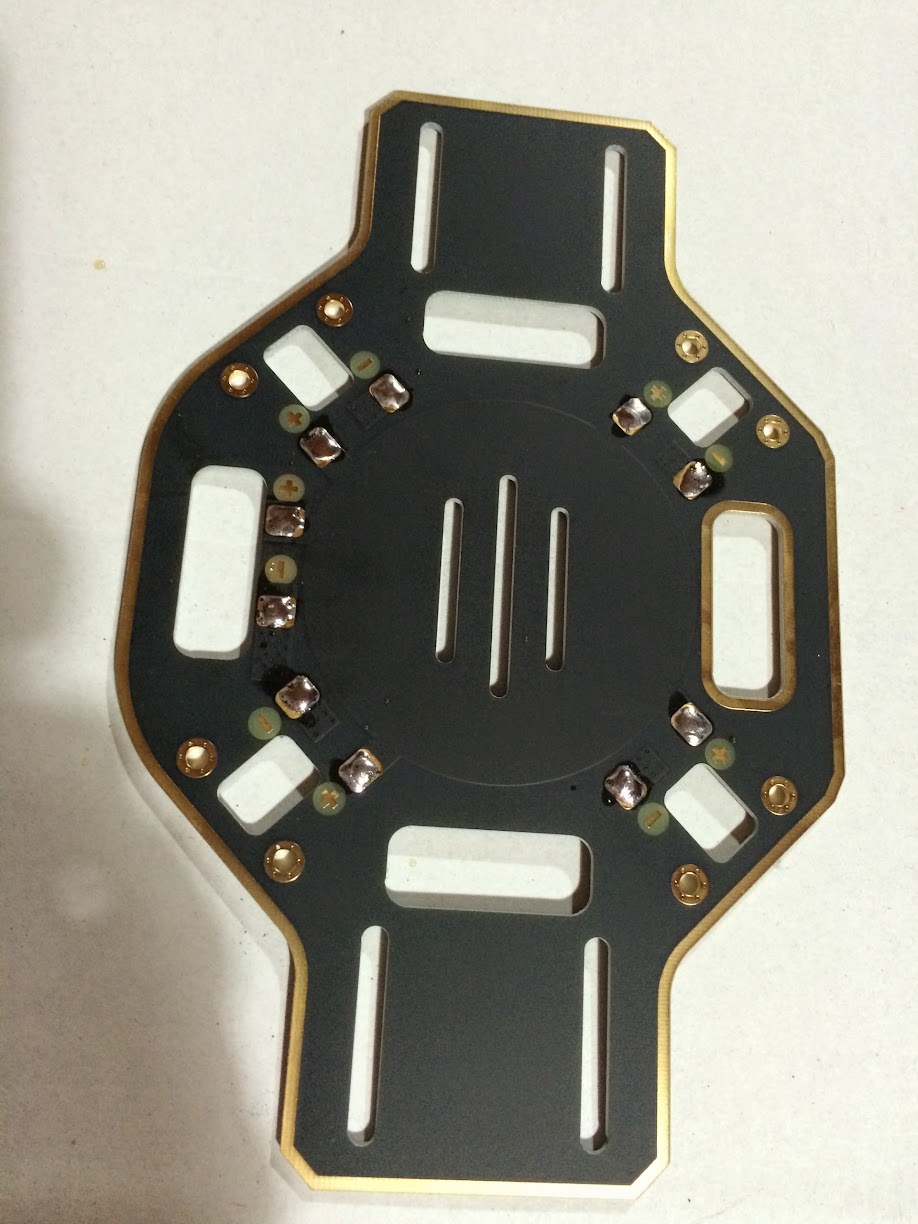
Luckily I saw a frame sold as Super H600 Quadcopter at HobbyKing that may be good enough for my needs.  It's not the best, but what appealed to me is the use of the F450 arms.  I had spare parts of the F450 and I also had a V550 which is really a F450 frame with a different layout.  Below is the maiden flight with is pretty much using stock components and my spare motors and props.


I started with H600 frame, my spare/test parts 2212 Multistar motors, 1038 Gemfan props and Tmotor Air 20a ESC.  The flight controller (FC) is the HK Pilot APM micro, which I bought as a set, which included GPS, OSD, telemetry radio.

The basic frame was definitely bigger which is great as it's not cramped as the F450, however it's also heavier.  I then thought that it will not be possible to use just the same 2212 motors as the F450.  I decided to buy some extended arms, this was I can go with much bigger propellers for more thrust. I decided to put an extended upswept arms from Diatone. I was thinking the quad is pretty much a H-frame so the upswept geometry should only affect the roll and not much of the pitch.  On my first flight to test the extended arms I decided to also test the high wind performance of the build. The test went well, it flew well despite the high wind and underpowered motors. Unfortunately on my last segment of the flight while bringing it for a landing I did a roll and a gust of wind flipped it. I suffered my first real crash since I started on the hobby.


I decided to buy another H600 frame and do a rebuild. On the rebuild I added 4 more standoffs (2 on each side) on the bottom frame, close to where the weak point is. Below you can see on the side the 2 additional standoffs. I also added the old broken bottom plate on the build, to make a double plate. Since the 2212 and 2213 does not have enough to thrust to lift the frame well. I went for a 4006 740kv motors, to keep the budget low I went for the Multistar Elites. I then coupled it with APC 1245 propellers. The 740kv motors allowed me to keep my existing 3S batteries and ESC. I did not went for the super low KV motors as that would require me to buy new ESC instead of using my spares and series my 3S battery or buy 6S. With this setup a AUW 2kg (3 axis gimbal, fpv, osd included) has about 8 to 12 mins flight time.


I added some functional bling to the frame, LED lights. This helped me a bit for LOS flying or my spotter to track it.


I think the build went pretty well, below is the video that I was able to take with the H600.  This is literally the 1st and 2nd flight outside of test flights.


Some more build notes for my reference.

On my Walkera Devo 10 to have 6 flight modes I have done the following:
Travel Adjust Gear
+83.0%
-100.0%
Subtrim Gear: -30.0%

Program Mix 1
Master: Flap
Slave: Gear
Pos 0 Up: +65%

Device Output
Gear: Mix SW
Flaw: Gear SW


  • Channel 5 for lost model alarm
  • Setup failsafe gear +100% which would put it into RTL flight mode
  • Use fixed ID for quick recovery of signal
  • Reverse Elevator, Aileron and Rudder channels
  • Gimbal on aux 4, travel adjust 65% 65%


Setup of APM micro 2.7

  • Firmware Arducopter 3.2.1
  • Frame type H
  • APM with external compass (needed to cut the link on the board)
  • radio calibration.
  • COMPASS_ORIENT = 12 (gps pointing backwards, MAYBE WRONG NEED TO CHECK)
  • PILOT_VELZ_MAX = 350 make it move faster
  • THR_DZ = 50 drop dead zone
  • extended tuning


I covered the barometer, with makeup foam.  This way the reading with not be erratic because of propeller wash and sunlight.

Thursday, April 30, 2015

Built a cheap quadcopter, then fly it to places where it may never return

I had this post on draft edit for a long time, never gotten to finish it as I was too busy having fun flying the V550.  This cheap quad turned out to be a great one to use, and it was flown it on flights where a mistake would mean it will never return.

I am not advocating to buy the cheapest components, however it's possible to selectively purchase components and still come up with a quadcopter that does not cost a fortune without sacrificing performance.


Here is my basic setup:
  • Reptile V550 frame (TBS Discovery clone)
  • HK Pilot32 (Pixhawk clone)
  • T-motor air gear 350 set consist of: T-motor 2213 motor, 9545 propellers and air 20A esc
  • 1 axis gimbal using Alex Mos board
I have flipped my HK Pilot32 so that I can see the LED when its flying, set AHRS_ORIENTATION  to 8.  My GPS puck is rotated 180, so COMPASS_ORIENT is set to 4.

On my Walkera Devo 10 to have 6 flight modes on channel 5 I have done the following:

Travel Adjust Gear
+83.0%
-100.0%
Subtrim Gear:
-30.0%

Program Mix 1
Master: Flap
Slave: Gear
Pos 0 Up: +65%

Device Output
Gear: Mix SW
Flap: Gear SW

For PID settings I used autotune start, it flew really well.  I then turned down a bit so it would be smoother for aerial videos


For althold I reduced the trim dead spot on alt hold from 10% to 5% setting THR_DZ to 50
Increased max vertical parameter from 2.5 cm/s to 3.5cm/s setting PILOT_VELZ_MAX to 350

I have installed minimOSD 1.1 on it using Minim OSD Extra 2.3.2.0 CT tool flashing in 2.4 r726 hex file.

Installed a 3 in 1 battery monitor, lost model alarm and used Aux 5

Some flights done by the V550


Previous steps of the build:

Tuesday, October 28, 2014

Building a cheap quad. Step 5: Expect things to fail and not go as planned

Since this is a cheap frame, I should have thought not all screws will be provided. It did not have any screws for the motor, luckily I had 8 spare... but I needed 16. I went to 2 hardware store and 1 auto store, none of them has a M3 that is 6mm short. I am glad my neighbour has heaps of RC parts, as he used to own a hobby shop and still has a few planes of his own.

The Pixhawk FC is a open source hardware and software platform. Much like Linux before, there are lots of loose documentation. I almost bricked my FC after 2 failed firmware updates. Also did not realise there are 2 different firmware for it.

I have got also some failed parts, which I did not order extra parts on. 1 of the ESC has failed, must be dud... or I smoked it after a few mins. Wrong firmware on the FC perhaps. The safety switch LED also does not work.

Anyway ordered the failed parts and I need to start reading more about the Pixhawk.. maybe next week things will all work and go as planned.

Building a cheap quad. Step 4: Put together the top and bottom plates of the Reptile V550

After a lot of trial and error, hand gymnastics... surprisingly all the electronic parts fit when I sandwich the top and bottom plates together. This is not a kit, no instructions and I had no idea everything will fit.

The bottom plate main consist of the flight controller, receiver. While the toplate has the power distribution board, gimbal board. As you can see on the photos the flight controller has only a few mm to room to spare.


Building a cheap quad. Step 3: Setup the HK Pilot32 (Pixhawk clone) Flight Controller (FC)

I always wanted to have a Pixhawk FC, but I am on a budget. So a clone of it, the HK Pilot32 will do
I did not realise there where a few choices for ground station software and firmware. I initially used qgroundcontrol and flashed the firmware. The 1st flash failed, gladly a 2nd flash worked. I went through some calibration steps, some of the documentation is a bit outdated. To matters worse I did not realise that there are different ground station software and firmware, so doing a google on pixhawk may give you links to different ones. Example there are a slight variation from the qgroundcontrol and APM mission planner buzzer/beep codes.

My safety switch LED light also is not working.


Building a cheap quad. Step 2: Wire in Motors and Electronic Speed Control (ESC)

I screwed on the motors, being a cheap frame it does not come with screws. You will need an extra 16pcs of M3x6mm. Luckily I had some spares, but only 12 pcs. For now I only have 3 screws per motor. While I was busy using zip ties for the cables, my daughter was also busy using zip ties for some art. I had to also move the PDB lower, as my ESC cables on the rear is too short.

Building a cheap quad. Step 1: Mount the power distribution board (PDB) to the Reptile V550 (v2) frame

The Reptile V550 (v2) is a cheap frame, so it does not have any instructions. Luckily the PDB just fits enough the top frame after a few trial and error of using different screws and mounts. I used a M3 screw and a nut, I also eventually lowered it a bit later from this photo to accommodate the gimbal board.

Also pictured here is side by side comparison with my current DJI F450 arms. The cheaper one is not as white and narrower, it seems to be just as stiff though.


Starting to build a cheap but good quad copter

I decided to build a cheap but good quad copter.  My initial target is cost 1/2 or less of my current dji F450 with a E300 propulsion system.  And it must be just as good or better.

The 2nd quad will serve more as a FPV and UAV platform.  I ended up with the following parts:
  • Reptile 550 v2 with 1 axis gimbal ($66). This is a TBS Discovery clone, which should be good for FPV and shares arms with F450, motors, esc for sharing spares. 
  • Multistar 2212/920kv ($45). So I can share/use the DJI 9443 and 9450 props. I also like the easy off and on of the self locking props. I wanted a Sunnysky 2212/980kv but it seems I can't use the self locking props on it w/o the rare adapter. Another E300 set is too expensive, I can however move the E300 to it.
  • Multistar 20A BLHeli ESC ($10 x 4).  Initially wanted a simonk based ESC such as the Afro.  I read there where a few issues especially for a Pixhawk flight controller.  So I opted for the BLHeli ESC.
  • HK Pilot32 ($130). Always wanted a Pixhawk, I want to do some UAV and possibly coding but could not afford a 3D Robotics made one.
  • Ublox Neo 7m GPS ($34)
  • Minim OSD ($21). Will do more FPV, so I guess OSD is now a must.
  • power distribution board ($4). Reptile V550 does not have a built in distribution board unlike a TBS Discovery.
  • Nanotech apec g2 ($56)
  • Walkera RX703a ($29). I have a walkera radio, as I share it flying the F450, Ladybird and Master CP.  The RX703a also use PPM signal which works for the Pilot32


Sunday, October 5, 2014

Final adjustment and testing of gains for dji F450

Having added the FPV I needed to adjust the gains. Increased the pitch and roll a bit so it can handle the wind better. Lowered the Altitude pitch and roll as it seems to make it less jerky. Significantly increased the vertical, so it would not descend when moving.
Basic
150% Pitch 150% Roll 120% Yaw 200% Vertical
Altitude
110% Pitch 110% Roll

I tested the gains on a very windy condition in atti mode.

Final testing and adjustments. Wellington strong winds is the best place to give it a real world test. Not brave enough to go over water though, gust can really take the quad down as seen on one of the crash.


Sunday, September 21, 2014

Wiring up some First Person View (FPV) video feed

Been busy for the past few weeks, today it was rainy.  So I finally got the shipped items to make my initial FPV.  It was pretty straight forward, some wiring and soldering.

I opted to get a basic 5.8ghz system for now.  This should be good for 500-1000m range with clear line of sight, from what I read.  Need to test/verify this on a good day.

I am still using a Mobius camera.  I got the Mobius video cable which goes from the USB port of the camera to the video transmitter (VTX).  The pins of the Mobius video cable is a direct match for the Boscam TS351.  No soldering required, just don't use the Boscam cable and directly fit the mobius video cable (yellow-black).


To power the VTX I opted to use my main battery.  I currently use a 3S LIPO battery, so I did not need to step down the voltage.  I only used a Fat Shark power filter.  Take note its important to reverse the wire polarity of the Fat Shark power cable, as the Boscam positive and negative terminals are the other way around of the Fat Shark.  I then just cut and soldered a splitter on the balance cable of the 3S battery.

My ground station video receiver (VRX) is still very basic.  I just opted to get a 7" monitor, will just get some goggles sometime in the future.  Some soldering and wiring was done.  I made a simple JST plug to 2.1mm adapter for the power.  Got some RCA male to male adapters.  Also made a simple JST splitter.  The 500mah 3S Lipo seems to last for about 45 mins or more, enough for my current flight times.

Perhaps the more fun project is fitting the Ladybird with a 808 #16 keychain camera.  The 808 is a 720p HD camera.  The little bug seems to fly with this heavy payload for a good 3 mins, using only the stock 280mah battery.  I got some 360mah battery coming.  This little bug will really give some good fun for my daughter.


Monday, August 11, 2014

Some tweaking of the quad after some flights

I have updated my settings after a few flights.

Cut the extended legs a bit, as the stock dji extended legs are too tall and bouncy.  Even the RTH can't land the quad without it falling over.

I have also change my gains to make it less wobble.  Current gains are:

Basic
145% Pitch 145% Roll 140% Yaw 120% Vertical
Altitude
140% Pitch 145% Roll

I have also mapped the IOC to X2 using the FMOD switch.


Naza Lite Walkera Devo RX1002 Walkera Devo 10
A AILE Aileron (reverse)
E ELEV Elevator
T THRO Throttle
R RUDD Rudder (reverse)
U AUX1 Flap/Mix (trim U 84.5% D 84.5% subtrim U 5.5%)
X1 AUX4 Aux4
X2 AUX2 Fmod (reverse trim U 90% D 90%)

Also changed the failsafe voltage to be higher on first level:

first level 10.6v 0.20v 10.40v
second level 10.20v 0.20v 10.00v

Some flights of it:


Friday, August 1, 2014

Done the finishing touches, quad is ready to fly

I have setup the Flight Controller FC, Radio Control RC, mount a Mobius action camera and legs.  Got all the functionality mapped on the FC.  It should switch to different flight modes, GPS, Altitude hold and manual.  I setup the failsafe switch so it would go back to its take off point when it looses radio signal or on flip of a failsafe switch.


Unfortunately I can't fly it over the weekend, there is bad storm.  Its very gusty and raining hard.

Here are some details of my initial setup:

Wiring between FC and RX


Naza Lite Walkera Devo RX1002
A AILE
E ELEV
T THRO
R RUDD
U AUX1
X1 AUX4
X2 AUX5

Naza Lite Assistant Settings and DEVO 10 settings to make them work

DEVO 10 is setup in airplane mode

Basic / GPS Mount
X -2cm
Y -4cm
Z 12cm
Also my GPS puck on the quad is rotated about 10 degrees towards the right.  This is to compensate for the magnetic declination.  See manual on Toilet Bowl Effect.

Basic / RC - I have used the default settings on DEVO 10 where all channels are normal.  I then setup the NAZA with the following:
A - Reverse
E - Normal
T - Normal
R - Reverse

The flight modes is controlled by the Mix switch (labeled as Flap on airplane mode).  For the U channel to set on the correct areas (GPS, Atti, and Manual)  I have set following on the DEVO 10
Trim / Flap U 84.5% D 84.5%
Sub Trim / Flap U 5.5%

I then used the Gear switch, to move U channel into the fail safe zone.  I used a program mix to achieve this.
Program Mix 1
master: Gear
slave: Flap
Pos 0(+) -50%

I have also the DEVO 10 failsafe to move the flaps should the radio loose signal

Failsafe flap U50%

I also set the "Fixed ID" binding, its needed so that when the radio signal is re-established you can take control again.  Otherwise you will need to power down the transmitter and receiver again to bind it.

For the gains I have used Aux4 and 5 knobs to adjust it.  Here are my initial parameters:

165 Pitch 165 Roll 150 Yaw 150 Vertical
Altitude 100 Pitch 100 Roll

Assign X1 and X2 to which one I wanted to adjust.  I then set the DEVO 10 trims and sub trim so the gain % difference is not big.

Aux4 Trim U40% D40% sub trim +7.0%
Aux5 Trim U40% D40% sub trim +12.0%

My initial failsafe voltage:

first level 10.5v 0.20v 10.30v
second level 10.20v 0.20v 10.00v

Wednesday, July 30, 2014

Wiring in the brain of the quad

Today just wire in the Flight Controller (FC) and receiver.  Hooked it up on the computer and transmitter for the initial setup.  So far things are connected properly


Finally tidy up the wires, mount the top deck and the GPS.


Next will be setting up the FC and GPS properly.


More bits going into the quad, its taking shape

Today a few more parts arrived.  Soldering is finished, done the battery terminal and power management unit (PMU).  I have also used clear silicon to insulate the soldered joints.


Mounted the motors, arms and propellers.  Its now taking shape.


As a distraction, I have put in the trainers on the heli.  I have also stripped and replaced the battery terminal to be a XT60.


Tuesday, July 29, 2014

Some parts have arrived and got my hands started in building a quadcopter

Some parts turned up today to build my quadcopter, the F450 frame box was damaged.


All the parts seem to be in good physical order despite the damage on the box.  Below are the contents of a F450 frame kit, E300 propulsion system, Naza lite and legs.


Got my hands started after doing my usual stuff.  My kids kinda help me a bit.


Got the soldering iron out and tinned the lower deck, which also serves as the power distribution board.


After smelling some lead from the solder and mustering out my basic soldering skills, I got all 4 Electronic Speed Controllers (ESC) done.


I need to stop here, as it late and I also did not have all the parts yet.  Hopefully some are coming tomorrow.  Oh here is a photo of the cheap 10 channel transmitter that comes with a Heli... hehehe.


Figuring out what quad copter to build

There are a lot of quad copter to build, lots of different choices.  My initial object for the build are:
  • Medium range (500m to 1000m) Aerial Photo (AP)
  • Basic First Person View (FPV) flying
These are my nice to have next objectives:
  • Long range (1km to 2km) AP
  • Full experience FPV
  • Unmanned Autonomous Vehicle (UAV) aka Drone
My likely dream hard-to-get objectives:
  • Night flying
  • Commercial application of UAV
  • Drone to drone communication to choreograph manoeuvres of a fleet of drones
Ok lets get back to more basic attainable objectives.  I have short listed it into 2 platforms:
  • DJI based quadcopter
  • 3D Robotics based quadcopter
Both have their strength and weaknesses.  I like the 3DR platform, as it based on open source and open hardware.  There platform is also more aligned to my nice to have objects.  The DJI products however based on research is more polished and a popular choice.  Its kinda like the difference between an Android phone and iPhone.  I use both phones, and there is no clear winner.

Then there is a 3rd option is combine both, use a DJI frame, motors, propellers and 3DR Flight Controller (FC), GPS, compass.  This is the ideal combination for me, I have seen also a few people gone through this route.

I have finally decided to build a DJI based quadcopter, then eventually move to a 3DR FC.  Using a DJI based quadcopter seems to be a more safer choice as this will be my first real quad and flying rc at the same time.  Once I understand better on how things work, then I move to a more custom quad.

Since I will be moving to a 3DR FC, I only bought a DJI Naza lite FC to keep the cost down.  The frame would be a DJI F450 Flamewheel as it a pretty versatile platform.  I will couple it with a DJI E300 propulsion system.

useful links:
http://www.quadcoptersarefun.com/
http://3drobotics.com/
http://www.dji.com
http://www.rcgroups.com/forums/showthread.php?t=2072672
http://vimeo.com/86967008

For the transmitter I wanted to have a Futaba one, as on my RC cars I used Futaba controllers.  The Futaba controllers cost a lot.  So looked around and found that the cheap ones are just as good like the FrSky Taranis 9XD.  Although I ended up getting a Walkera Devo 10; as it was cheaper, good enough and it can control a few Walkera helis that where pretty good.  So I ordered a Devo 10 that came with a Walker Master CP helicopter, this is how I sold it my wife:  "I need a transmitter, hey if I add $50 more I get to have a nice heli!"

Dreaming to Fly, make it real by building a quadcopter

Since I was a kid, I always wanted to fly a plane and helis.  Wasn't able to do it... yet.  The closest way for me to experience this is use a computer and flight simulator games.  Fast forward today while I was buying some parts for my RC cars which I play with my kids, I saw an AR Drone 2.0 on sale.  So I decided to buy it.  The rational behind it:  its not too expensive and if I don't get to have enough interest and time its a ready-to-fly (RTF) product.  The kids can use the AR Drone 2.0 without much fuss.


The AR Drone 2.0 was a pretty good starter quadcopter.  Here are some actual videos of it:


Now sold the AR Drone 2.0 and decided to move into more serious quads.  I wanted longer range, better stability against strong winds.   

Hopefully I can make a short series of post as I build a quadcopter.  This should be helpful for me as my notes on how I built it and if anybody is interested to do the same thing.

Saturday, April 19, 2014

Building opencv java module

Last week I tried to build OpenCV java module so I could use it for clj-drone so I could have more fun with AR Drone 2.0.  I couldn't figure out why the java module is set unavailable after cmake.  This happens on both Ubuntu 12.04 and OS X 10.9.  I have seen some issues regarding properly setting the JAVA_HOME and the cmake JNI file being incorrect.  I tried to look at this angle, seeing why the JNI interface would not work.

However it seems "ant" is a required component and not just a recommended install as indicated by the docs.  So after a "brew install ant" and "apt-get install ant" cmake is able to properly set the Java OpenCV module.  I never had ant for years in my system, right now only using mvn, sbt and lein.

OpenCV 2.4.5 built just fine on Ubuntu, OSX seems to be having some c++ compile issue...

Thursday, April 3, 2014

Learning Clojure by doing a simple things

I usually tinker around different languages or technology.  I have been learning a bit of Clojure for the last couple of weeks.  Tried it at the office, by making a simple REST client.  Now just making a simple web app, just to get a feel of the language and ecosystem around it.

Clojure reminds me of Tcl, I know its LISP and it should remind more of emacs.  It reminds me of Tcl as I done a lot of Tcl programming using aolserver and OpenACS before.  Unlike the first few times I used Ruby or Scala, where the first wow factor is the language.  Tcl and Clojure the wow factor is getting to do something really quick.  They both have quirky syntax, but simple and uniform.

Here is why I am learning Clojure:
  • Learning a new languages makes me better at the languages I already know.  Getting the nice feeling of being new, and learning a lot on the way... mistakes and aha moments.
  • Still on my journey to be a better Functional Oriented hipster.  Not that I am leaving Object Oriented or even procedural away, just learning a another way of thinking and solving computing issues.
  • Getting my son to learn something.  Clojure seems to have nice abstraction for sql, web and js.  Start with 1 language will be less intimidating, instead of learning a lot in 1 bang.
As a newbie, I started with a framework first.  I like get to know other people's opinion first before making my own.  I picked Luminus as it seem to be using some of things that the clojure community is using.  Here are some code snippets from bottom layer to top.  Its simple and lacks any real world complications yet, learn the ropes on the basic things first.

Data using Korma


It starts with a macro for defining an entity and I would guess the convention to tie with the backing rdbms tables.  Then you define some functions using Korma's sql dsl.  You deal with primarily 2 data structure "id" which is a string and "product" which is a map.

Web using Ring and Compojure


The above is defining the routes, which you tie to the application handler.  Real nice bits are the ability to define a context.  Which would mean enclosing routes will start with that path first.  Easy way to extract the request body from a key ":body-params", and to respond with body by setting the key ":body".

Finally the front end using Clojurescript, Gyr and Angular.js


It looks less Clojure idiomatic, however I wanted to start somewhere.  Angular.js is familiar to me, just realised that its been about 2 years ago I started looking at Angular.js.  We have been using it ever since, I am actually rusty on it already.  I saw the Gyr and Putnam project had pretty good documentation.  Gyr gives some macros such as def.factory, def.controller, etc.  which looks similar to normal angular.  Then the ability to use $scope.foo.bar which is pretty nice.  You will need to use "obj" and "arr" to interact with normal Javascript objects and arrays.

Clojure is nice and simple (still on first impression).  Gets you up and running quick.  If its good for long big projects, I don't know yet.  However I will be happy if I can meet 2 out of my 3 objectives in learning Clojure.  Complete source code here for the curious.

Thursday, May 16, 2013

Flashing bios using a usb drive

If you are like me where most PC run's linux and has no optical drive.  I saw the following steps around the net to be helpful.
  1. Get the bios update iso
  2. Get 'geteltorito' and extract the boot image from the iso
    $ wget 'http://www.uni-koblenz.de/~krienke/ftp/noarch/geteltorito/geteltorito.pl'
    $ perl geteltorito.pl biosupdate.iso > biosupdate.img
    
  3. Copy the image to the usb thumdrive
  4. $ sudo dd if=biosupdate.img of=/dev/usbthumdrive bs=512K